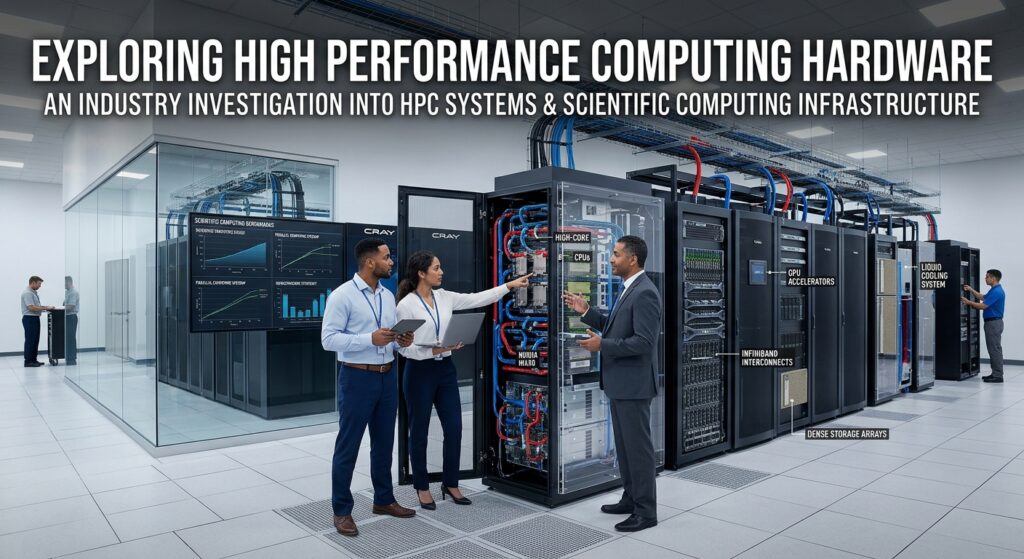
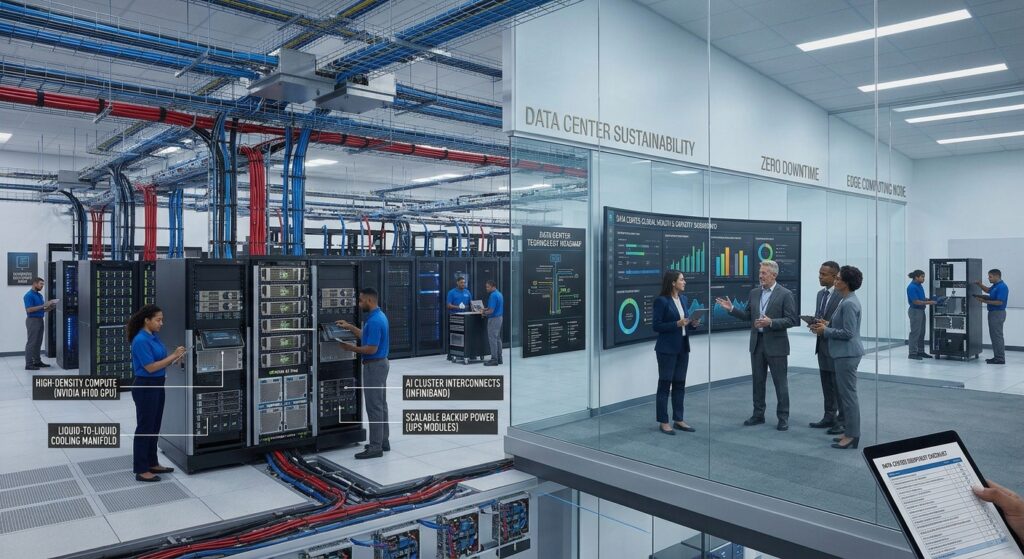
Data center hardware solutions are essential for businesses that need reliable computing, storage, networking, power distribution, and cooling infrastructure. These systems provide the physical foundation for enterprise applications, cloud services, databases, virtualization, artificial intelligence, and other mission-critical workloads.
A complete data center infrastructure includes more than servers and networking equipment. It also requires storage systems, power protection, backup generators, cooling equipment, server racks, monitoring platforms, and physical security systems.
Choosing the right data center equipment requires understanding how these components work together. Businesses must evaluate computing capacity, network performance, storage requirements, electrical power, cooling efficiency, scalability, and infrastructure availability.
Different organizations also have different deployment requirements. A small enterprise server room may need a compact infrastructure solution, while a large data center requires coordinated systems for power distribution, cooling, networking, and thousands of computing resources.
Understanding the main data center components helps IT managers, facility operators, and procurement specialists compare available solutions and make informed infrastructure decisions.
What Are Data Center Hardware Solutions?
Data center hardware solutions refer to the physical equipment and integrated infrastructure used to operate, manage, and maintain data center facilities.
These solutions support the processing, storage, transmission, and protection of digital information.
A typical enterprise data center includes several interconnected technology layers:
- Compute infrastructure
- Enterprise storage systems
- Network infrastructure
- Electrical power systems
- Cooling and thermal management
- Server racks and enclosures
- Cabling and connectivity
- Physical security equipment
- Infrastructure monitoring and management
Each layer performs a specific function.
Servers execute applications and process data. Storage systems maintain business information. Networking equipment connects servers and external systems. Power and cooling infrastructure help maintain continuous hardware operation.
The effectiveness of a data center depends on how well these systems are designed, integrated, monitored, and maintained.
Main Types of Data Center Infrastructure
Data center infrastructure can be divided into several hardware categories.
Understanding these categories helps businesses identify which equipment is required for their planned environment.
1. Data Center Compute Infrastructure
Compute infrastructure provides the processing resources required to run applications, databases, virtual machines, and business services.
Common equipment includes:
- Rack servers
- Blade servers
- Tower servers
- GPU servers
- High-performance computing servers
- Hyperconverged infrastructure systems
Enterprise servers typically contain processors, memory, storage interfaces, network adapters, power supplies, and cooling components.
The appropriate server configuration depends on workload requirements.
For example, virtualization environments may require substantial memory and processor resources, while AI infrastructure may require GPU accelerators, high-bandwidth memory, and specialized cooling.
Important server specifications include:
- CPU model and core count
- RAM capacity and memory generation
- GPU compatibility
- Storage capacity
- Network interface speed
- PCIe expansion capabilities
- Power consumption
- Remote management features
Businesses should evaluate these specifications according to their applications rather than selecting equipment based only on processor performance.
2. Enterprise Storage Systems
Enterprise storage systems provide centralized data storage for servers, applications, and business users.
They support databases, virtual machines, file services, backups, and large business datasets.
Common storage architectures include:
Storage Area Network (SAN)
SAN systems provide block-level storage access through dedicated or configured storage networks.
They are commonly used for enterprise databases, virtualization platforms, and applications requiring centralized block storage.
Network Attached Storage (NAS)
NAS systems provide file-based storage access through network protocols such as NFS and SMB.
They are useful for shared documents, business files, media repositories, and centralized file services.
Object Storage
Object storage manages data as objects with associated metadata and identifiers.
It is commonly used for large unstructured datasets, cloud-native applications, archives, and backup repositories.
Direct-Attached Storage (DAS)
DAS connects storage devices directly to individual servers.
It can be suitable for local application storage and specialized server configurations.
Important enterprise storage specifications include:
- Raw and usable capacity
- SSD, NVMe, and HDD support
- Storage controller architecture
- IOPS
- Throughput
- Latency
- Redundancy
- Replication capabilities
- Expansion options
Storage selection should be based on application access patterns and data protection requirements.
3. Data Center Networking Hardware
Network infrastructure connects servers, storage platforms, management systems, users, and external services.
Without suitable networking equipment, computing and storage resources cannot communicate efficiently.
Common data center networking equipment includes:
- Ethernet switches
- Core switches
- Top-of-rack switches
- Spine switches
- Routers
- Firewalls
- Network interface cards
- Optical transceivers
- Fiber optic cabling
- Network management controllers
Modern data centers commonly use hierarchical or leaf-spine networking architectures, depending on their scale and workload requirements.
Top-of-Rack Switching
Top-of-rack switches are installed within or near server racks to connect local equipment to the broader data center network.
They can simplify rack-level connectivity and network administration.
Spine-Leaf Architecture
Spine-leaf networking uses two primary switching layers.
Leaf switches connect servers and other devices, while spine switches provide interconnection between leaf devices.
This architecture is commonly considered for scalable data center networking.
Network Performance Considerations
When evaluating network equipment, review:
- Port count
- Ethernet speed
- Switching capacity
- Packet forwarding performance
- Latency
- Routing capabilities
- Redundant connections
- Network segmentation
- Security features
For AI and high-performance computing environments, network bandwidth and latency may become particularly important because large datasets and computational workloads move between multiple systems.
4. Data Center Power Infrastructure
Power infrastructure supplies electricity to computing equipment and supporting facility systems.
It is one of the most important elements of enterprise data center systems because power interruptions can affect multiple applications and services simultaneously.
Common power infrastructure components include:
- Utility power connections
- Transformers
- Electrical switchgear
- Uninterruptible power supply (UPS) systems
- Backup generators
- Automatic transfer switches
- Power distribution units (PDUs)
- Remote power panels
- Rack power distribution equipment
- Battery systems
Uninterruptible Power Supply (UPS)
UPS systems provide short-term backup power and power conditioning for connected equipment.
They help maintain electrical continuity during certain power disturbances and provide time for supported transfer or shutdown procedures.
UPS selection should consider:
- Connected IT load
- Output capacity
- Power factor
- Battery runtime requirements
- Redundancy
- Efficiency
- Maintenance requirements
- Monitoring capabilities
Backup Generators
Generators provide longer-duration backup power when utility electricity is unavailable.
Unlike batteries in a UPS, generators are designed to support extended operation when correctly sized, fueled, maintained, and integrated into the power system.
Their operation depends on generator capacity, fuel availability, transfer equipment, and facility design.
Power Distribution Units (PDUs)
PDUs distribute electricity to data center equipment.
Rack-mounted PDUs provide multiple power outlets for servers, switches, storage systems, and other rack equipment.
Some intelligent PDUs also provide power monitoring, remote outlet control, and environmental monitoring features.
Businesses should evaluate outlet configurations, voltage compatibility, current capacity, load monitoring, and redundancy requirements.
5. Data Center Cooling Equipment
Cooling systems remove heat generated by servers, storage, networking equipment, and other electronic components.
Effective thermal management helps maintain suitable operating conditions for data center equipment.
Common cooling technologies include:
- Computer Room Air Conditioning (CRAC)
- Computer Room Air Handling (CRAH)
- Precision cooling systems
- In-row cooling
- Chillers
- Rear-door heat exchangers
- Direct-to-chip liquid cooling
- Immersion cooling
CRAC Systems
CRAC systems provide temperature and humidity management for computer rooms.
They are traditionally associated with direct expansion refrigeration-based cooling architectures.
CRAH Systems
CRAH systems use chilled water to manage air temperature in data center environments.
Their operation depends on the wider chilled-water infrastructure.
In-Row Cooling
In-row cooling places cooling equipment close to server racks.
This architecture can help manage localized heat loads in suitable rack layouts.
Liquid Cooling
Liquid cooling systems transfer heat through liquid-based cooling circuits.
Common approaches include:
- Direct-to-chip cooling
- Rear-door heat exchangers
- Immersion cooling
These technologies are increasingly relevant for high-density computing environments, particularly those using advanced GPU servers.
However, liquid cooling requires compatible IT equipment and facility infrastructure. It is not automatically necessary for every data center.
ASHRAE’s AI Data Center Energy Performance Framework discusses the growing importance of thermal management, liquid cooling, and integrated energy performance as computing density increases.
6. Server Racks and Enclosures
Server racks provide physical mounting and organization for data center equipment.
They help standardize equipment placement and support organized cable management, power distribution, and cooling arrangements.
Common equipment includes:
- Open-frame racks
- Enclosed server cabinets
- Network racks
- High-density racks
- Rack accessories
- Cable management panels
- Rack shelves
- Blanking panels
- Vertical and horizontal PDUs
Important rack specifications include:
- Rack height in rack units (U)
- Width and depth
- Weight capacity
- Mounting rail compatibility
- Airflow design
- Cable access
- Door configuration
- Physical security
- Power distribution compatibility
Buyers should ensure that racks can accommodate the selected servers, storage systems, network equipment, and associated accessories.
7. Cabling and Connectivity Infrastructure
Cabling connects the different components within a data center.
Network and power cabling should be organized to support equipment installation, troubleshooting, expansion, and maintenance.
Common cabling types include:
- Category copper Ethernet cables
- Fiber optic cables
- Direct attach copper cables
- Active optical cables
- Power cables
- Management cables
- Structured cabling systems
Fiber optic connectivity is commonly used for high-bandwidth connections and longer-distance links within data center environments.
Important considerations include connector compatibility, transmission speed, cable length, transceiver compatibility, and supported network standards.
Clear cable labeling and documentation also help reduce operational complexity.
8. Physical Security and Environmental Monitoring
Data center facilities require physical protection and environmental monitoring.
These systems help organizations detect conditions that could affect equipment availability or facility security.
Common components include:
- Electronic access control
- Security cameras
- Intrusion detection systems
- Environmental sensors
- Temperature sensors
- Humidity monitoring
- Water leak detection
- Smoke and fire detection
- Fire suppression systems
Physical security requirements depend on facility design, business risks, applicable codes, and regulatory obligations.
Fire protection and suppression systems should be selected and installed according to applicable safety requirements by qualified professionals.
Types of Data Center Solutions for Different Business Requirements
Not every organization needs the same data center architecture.
The appropriate deployment depends on computing demand, physical location, available infrastructure, investment budget, and operational requirements.
1. Enterprise On-Premises Data Centers
An on-premises data center is owned or operated by an organization within its own facility or dedicated premises.
Businesses use these environments to maintain direct control over physical infrastructure, hardware configurations, and data center operations.
Typical components include:
- Enterprise servers
- Storage arrays
- Networking systems
- UPS equipment
- Cooling infrastructure
- Backup generators
- Server racks
- Monitoring platforms
Advantages
- Direct infrastructure control
- Custom hardware configurations
- Flexible internal policies
- Integration with existing enterprise systems
Limitations
- Significant capital investment
- Facility maintenance requirements
- Power and cooling responsibilities
- Need for technical infrastructure personnel
2. Modular Data Center Solutions
Modular data centers use prefabricated or integrated infrastructure components to simplify deployment and expansion.
Depending on the design, a modular solution may include racks, power distribution, UPS systems, cooling, monitoring, and physical security.
These systems can be deployed as compact units, dedicated modules, or larger infrastructure arrangements.
Advantages
- Pre-engineered configurations
- Faster deployment planning
- Scalable infrastructure
- Integrated power and cooling
- Flexible site requirements
Suitable for:
- Enterprise expansion
- Remote locations
- Temporary infrastructure
- Edge computing
- Organizations planning incremental capacity growth
Modular solutions should still be evaluated against local facility requirements, utility capacity, and future workload demand.
3. Edge Data Center Solutions
Edge data centers place computing infrastructure closer to users, devices, or data sources.
They are commonly used where local processing, reduced network dependency, or geographic distribution is important.
Potential applications include:
- Manufacturing facilities
- Retail operations
- Telecommunications
- Remote monitoring
- Industrial automation
- Local AI processing
Edge infrastructure may use compact racks, smaller UPS systems, localized cooling, and remote monitoring technologies.
4. Colocation Data Center Infrastructure
Colocation allows organizations to deploy their own IT equipment within a third-party data center facility.
The provider supplies physical space and supporting infrastructure such as power, cooling, physical security, and network connectivity.
Customers generally retain responsibility for their own server and storage equipment, depending on the service agreement.
Important evaluation criteria include:
- Power allocation
- Rack space
- Cooling capacity
- Network connectivity
- Physical security
- Service-level agreements
- Maintenance access
- Expansion availability
5. Hyperscale Data Center Systems
Hyperscale data centers are designed to support very large computing and storage environments.
They use extensive server deployments, scalable networking, centralized management, and highly developed facility infrastructure.
Important characteristics can include:
- Large server fleets
- High-density networking
- Distributed storage
- Automated infrastructure management
- Large-scale electrical systems
- Advanced thermal management
Hyperscale architecture is generally associated with major cloud providers and large technology organizations, rather than conventional small enterprise deployments.
Data Center Hardware Specifications: What Should Buyers Compare?
A complete data center equipment evaluation requires reviewing specifications across every infrastructure layer.
The following table provides a practical starting point.
| Hardware Category | Important Specifications |
|---|---|
| Servers | CPU, RAM, GPU support, storage and power |
| Storage | Capacity, IOPS, throughput and latency |
| Networking | Port speed, switching capacity and redundancy |
| UPS | kVA, kW, runtime and redundancy |
| Generators | Power output, fuel type and runtime assumptions |
| PDUs | Voltage, current, outlets and monitoring |
| Cooling | Cooling capacity, airflow and thermal compatibility |
| Racks | Height, depth, weight capacity and power compatibility |
| Cabling | Bandwidth, cable type, length and connector |
| Monitoring | Sensor support, alerts and asset visibility |
Specifications must be evaluated in the context of the complete system.
For example, selecting a high-capacity UPS without assessing the actual electrical load may lead to inappropriate sizing. Similarly, installing high-performance servers without sufficient cooling infrastructure can create operational limitations.
Understanding Data Center Redundancy
Redundancy is an important part of enterprise data center systems.
It provides additional capacity or alternative paths that can help infrastructure maintain operations during certain equipment failures or maintenance activities.
Common redundancy approaches include:
N Configuration
N represents the capacity required to support the intended IT load.
A system designed only with N capacity generally has no additional equivalent capacity reserve.
N+1 Configuration
N+1 includes the required capacity plus one additional component or unit, as defined by the design.
This can provide additional protection against certain component failures or allow some maintenance activities.
2N Configuration
2N uses two independent systems, each designed to support the required capacity.
This approach can provide greater separation and fault tolerance, depending on how the complete infrastructure is designed.
Redundancy can apply to power supplies, UPS modules, generators, cooling units, networking paths, and storage components.
However, installing redundant equipment does not automatically guarantee complete facility availability.
The distribution paths, control systems, maintenance procedures, and actual failure scenarios must also be considered.
Data Center Power Usage and Energy Efficiency
Electricity consumption is an important consideration when planning data center hardware solutions.
Servers, networking equipment, storage systems, UPS infrastructure, and cooling equipment all contribute to operating expenses.
One commonly used metric is Power Usage Effectiveness (PUE).
PUE compares total data center facility energy consumption with the energy delivered to IT equipment.
A lower PUE indicates less overhead energy relative to IT energy consumption, but PUE should not be used alone to judge overall facility sustainability or operational quality.
Other considerations include:
- Server utilization
- Cooling efficiency
- UPS efficiency
- Power distribution losses
- Water consumption
- Carbon intensity of electricity
- Heat reuse opportunities
The U.S. Department of Energy’s Federal Energy Management Program provides guidance on energy-efficient data center design, including IT equipment, air management, cooling, and electrical systems.
Businesses should assess energy efficiency during procurement rather than treating it as a separate issue after installation.
Data Center Monitoring and Infrastructure Management
Modern data center technology relies on monitoring systems to provide visibility into infrastructure performance and facility conditions.
Data Center Infrastructure Management (DCIM) platforms help organizations monitor and manage physical data center resources.
Depending on the platform, DCIM capabilities may include:
- Rack and equipment inventory
- Power monitoring
- Cooling monitoring
- Environmental sensors
- Capacity planning
- Asset management
- Alert notifications
- Infrastructure visualization
- Energy reporting
DCIM platforms can help administrators identify capacity constraints and understand how equipment changes affect the broader facility.
They may also integrate with building management systems and IT monitoring tools.
Before purchasing a monitoring solution, verify supported hardware integrations, data collection methods, reporting functionality, user access controls, and licensing.
Leading Data Center Hardware Manufacturers and Solutions
Several manufacturers provide equipment used in enterprise data center environments.
These vendors do not all compete in the same product categories. Some primarily provide computing and networking equipment, while others focus on electrical power, cooling, racks, and facility infrastructure.
1. Dell Technologies
Dell Technologies provides enterprise computing, storage, and networking equipment through its data center infrastructure portfolio.
Important product categories include:
- PowerEdge rack and tower servers
- Dell PowerStore storage systems
- Dell PowerMax storage platforms
- Dell PowerScale systems
- PowerSwitch networking equipment
- Rack accessories
Dell infrastructure can be evaluated for virtualization, enterprise applications, databases, storage, and AI workloads.
Evaluation considerations:
- Server processor and memory configurations
- Storage performance
- Network compatibility
- Remote management
- Power consumption
- Hardware support and maintenance
Official website:
2. Hewlett Packard Enterprise (HPE)
HPE provides enterprise data center equipment covering compute, storage, networking, and specialized infrastructure platforms.
Its portfolio includes:
- HPE ProLiant Compute
- HPE Alletra Storage
- HPE Networking
- HPE Nonstop Compute
- HPE Cray Supercomputing
HPE systems can be evaluated for enterprise applications, virtualization, AI, high-performance computing, and hybrid infrastructure environments.
Evaluation considerations:
- Compute platform compatibility
- Storage architecture
- Network performance
- Infrastructure management
- Security capabilities
- Enterprise service coverage
Official website:
3. Lenovo Infrastructure Solutions
Lenovo provides data center servers, storage systems, and infrastructure technologies through its ThinkSystem and ThinkAgile portfolios.
Important equipment categories include:
- ThinkSystem rack servers
- ThinkSystem tower servers
- ThinkSystem storage arrays
- ThinkAgile hyperconverged systems
- GPU-enabled server platforms
Lenovo hardware can be considered for enterprise computing, data storage, virtualization, and AI infrastructure.
Evaluation considerations:
- CPU and memory configuration
- Storage expansion
- GPU compatibility
- Network interfaces
- XClarity management capabilities
- Hardware lifecycle support
Official website:
4. Cisco Data Center Networking
Cisco provides networking technologies for enterprise and large-scale data center infrastructure.
Its portfolio includes:
- Cisco Nexus switches
- Data center network fabrics
- Modular switching platforms
- Routers
- Network management software
- Storage networking equipment
Cisco Nexus platforms support multiple data center network architectures, including spine-leaf deployments.
Evaluation considerations:
- Switching capacity
- Port speed
- Latency
- Routing capabilities
- Network automation
- Security and segmentation
- Interoperability
Official website:
5. Vertiv Data Center Infrastructure
Vertiv specializes in critical digital infrastructure equipment for data centers.
Its portfolio includes:
- UPS systems
- Power distribution equipment
- Thermal management systems
- Cooling equipment
- Racks and enclosures
- Monitoring and management technologies
- Modular data center solutions
Vertiv solutions can be evaluated for both traditional computing environments and high-density AI infrastructure.
Evaluation considerations:
- Electrical load requirements
- UPS architecture
- Cooling capacity
- Rack compatibility
- Liquid cooling support
- Monitoring integration
- Lifecycle support
Official website:
6. Schneider Electric Data Center Solutions
Schneider Electric provides power protection, cooling, rack systems, and data center management technologies.
Its portfolio includes:
- APC UPS systems
- Galaxy UPS platforms
- NetShelter racks
- Uniflair cooling systems
- EcoStruxure IT management
- Prefabricated modular data center solutions
Schneider Electric can be evaluated for infrastructure projects requiring integrated power, cooling, rack, and monitoring solutions.
Evaluation considerations:
- UPS capacity
- Power distribution
- Rack configuration
- Cooling architecture
- Monitoring software
- Infrastructure integration
Official website:
7. Eaton Data Center Power Solutions
Eaton provides power management products and infrastructure components for data center environments.
Its offerings include:
- UPS systems
- Rack power distribution units
- Power distribution equipment
- Power monitoring
- Backup power technologies
Eaton equipment can be considered when evaluating electrical distribution and power protection requirements.
Evaluation considerations:
- UPS sizing
- Power quality
- Rack PDU specifications
- Monitoring capabilities
- Electrical compatibility
- Maintenance and service requirements
Official website:
Data Center Manufacturer Comparison
The following table separates IT infrastructure providers from facility infrastructure suppliers.
| Manufacturer | Main Equipment Categories | Primary Evaluation Focus |
|---|---|---|
| Dell | Servers and storage | Compute and enterprise data infrastructure |
| HPE | Compute, storage and networking | Enterprise IT platforms |
| Lenovo | Servers and storage | Enterprise computing and scalability |
| Cisco | Networking | Switching and network architecture |
| Vertiv | Power, cooling and racks | Critical facility infrastructure |
| Schneider Electric | UPS, cooling, racks and DCIM | Integrated data center infrastructure |
| Eaton | UPS and power distribution | Electrical power protection |
These manufacturers have different product portfolios and are not direct replacements for one another.
A practical infrastructure procurement process may involve several vendors working together.
How to Choose the Right Data Center Hardware Solutions
Selecting data center hardware should begin with workload requirements and facility capacity.
The following steps can help organizations compare infrastructure options.
Step 1: Identify Business and IT Requirements
Determine which applications, services, and workloads the data center will support.
Examples include:
- Enterprise applications
- Virtualization
- Database systems
- Cloud infrastructure
- AI and GPU computing
- Web hosting
- Backup and disaster recovery
- Enterprise file storage
Each workload has different compute, storage, networking, power, and cooling requirements.
Step 2: Determine Computing Capacity
Evaluate server requirements based on processor performance, memory, storage, and network connectivity.
Consider current utilization and projected workload growth.
For GPU-oriented environments, include accelerator compatibility and rack-level power and cooling requirements.
Step 3: Plan Storage Architecture
Determine the amount of business data that must be stored and how applications access it.
Compare SAN, NAS, object storage, and direct-attached storage where appropriate.
Estimate capacity growth, protection overhead, and recovery requirements.
Step 4: Design Network Infrastructure
Evaluate switching capacity, port speeds, network topology, redundancy, and security requirements.
Ensure that networking hardware can support current workloads and future expansion.
Step 5: Calculate Power Requirements
Determine the expected IT load and supporting facility power needs.
Evaluate UPS capacity, backup generator requirements, power distribution, and available electrical infrastructure.
Electrical design, installation, and commissioning should be performed by qualified professionals in accordance with applicable codes and engineering requirements.
Step 6: Evaluate Cooling Requirements
Calculate the heat load generated by IT equipment.
Review rack density, airflow management, cooling capacity, and potential expansion.
For high-density AI workloads, evaluate whether air cooling is sufficient or whether liquid cooling should be considered.
Step 7: Review Redundancy and Availability
Determine the required level of infrastructure resilience.
Evaluate N, N+1, or 2N configurations according to business requirements and maintenance expectations.
Do not select redundancy solely because a particular configuration sounds more advanced. The investment should match the organization’s actual availability needs.
Step 8: Calculate Total Cost of Ownership
Compare acquisition costs with electricity, cooling, maintenance, software, facility operations, and future expansion expenses.
A lower-cost equipment package does not necessarily offer the lowest lifecycle cost.
Understanding Data Center Tiers and Infrastructure Availability
Some organizations use Uptime Institute Tier classifications when evaluating data center facility infrastructure.
The Tier classification system includes four levels.
| Tier | General Classification | Main Infrastructure Characteristic |
|---|---|---|
| Tier I | Basic Capacity | Basic infrastructure with planned shutdowns for maintenance |
| Tier II | Redundant Capacity Components | Additional capacity components for certain equipment failures |
| Tier III | Concurrently Maintainable | Planned maintenance without shutting down IT operations |
| Tier IV | Fault Tolerant | Designed to withstand an individual equipment failure or distribution path interruption |
These classifications describe facility infrastructure capabilities rather than the performance of individual server or storage products.
A Tier III facility is not simply a building containing higher-priced hardware than a Tier I facility.
Power distribution, cooling, redundancy, maintenance procedures, and overall topology are important parts of the evaluation.
Organizations should also distinguish between designing toward a Tier classification and receiving formal Uptime Institute certification.
Total Cost of Ownership for Data Center Infrastructure
Total cost of ownership (TCO) includes the financial commitment required to acquire, deploy, operate, and maintain data center equipment.
A complete infrastructure budget should consider the following categories.
| Cost Category | Equipment and Expenses |
|---|---|
| Compute | Servers, processors, memory and GPUs |
| Storage | Storage arrays, SSDs, HDDs and controllers |
| Networking | Switches, routers, optics and cabling |
| Power | UPS, generators, transformers and PDUs |
| Cooling | Chillers, cooling units and liquid cooling |
| Racks | Server cabinets and accessories |
| Security | Access control and monitoring systems |
| Software | Virtualization and infrastructure management |
| Facility | Space, electricity and building services |
| Maintenance | Replacement parts and technical support |
| Expansion | Additional racks, power and cooling capacity |
Energy efficiency can affect long-term operating costs.
Organizations should compare power consumption and cooling requirements under realistic workload assumptions rather than relying exclusively on equipment purchase prices.
The U.S. Department of Energy’s Federal Energy Management Program provides guidance on energy-efficient data center design, including IT system efficiency, cooling, electrical infrastructure, and air management.
Common Mistakes When Purchasing Data Center Equipment
Poor infrastructure planning can create additional expenses, operational limitations, and unnecessary complexity.
1. Focusing Only on Server Hardware
Servers are only one part of a complete data center.
Power, cooling, storage, networking, racks, and monitoring must also be considered.
2. Underestimating Power Requirements
Organizations should evaluate total electrical demand, rack density, equipment expansion, UPS capacity, and backup power needs.
3. Ignoring Cooling Infrastructure
Additional servers increase heat generation.
Cooling requirements should be calculated alongside IT equipment specifications.
4. Selecting Networking Equipment Without a Capacity Plan
The network must support the number of connected devices, expected traffic, required bandwidth, and future expansion.
5. Overlooking Storage Growth
Storage capacity should account for business data growth, backup retention, replication, and operational overhead.
6. Assuming Redundancy Guarantees Availability
Redundant power supplies and cooling units alone do not guarantee continuous operations.
The complete architecture and operational procedures must support the desired availability objectives.
7. Ignoring Infrastructure Monitoring
Without adequate monitoring, facility operators may have limited visibility into power consumption, environmental conditions, and equipment capacity.
8. Comparing Vendors Without Standardized Specifications
A meaningful purchasing comparison requires consistent requirements for equipment capacity, service coverage, performance, compatibility, and lifecycle costs.
Conclusion
Data center hardware solutions provide the physical foundation for modern enterprise IT operations.
A complete data center requires coordinated computing, storage, networking, electrical power, cooling, racks, cabling, security, and infrastructure management systems.
The appropriate equipment depends on workload requirements, facility capacity, availability objectives, scalability, and long-term operating expenses.
Dell, HPE, Lenovo, and Cisco offer technologies for enterprise computing, storage, and networking, while Vertiv, Schneider Electric, and Eaton provide important power, cooling, and facility infrastructure products.
Organizations evaluating enterprise data center systems should compare the complete infrastructure rather than focusing on individual equipment categories.
By assessing compute capacity, storage performance, network architecture, power distribution, cooling requirements, and total cost of ownership, businesses can develop data center solutions that support operational needs and future infrastructure growth.
Frequently Asked Questions
1. What are data center hardware solutions?
Data center hardware solutions refer to physical equipment used to operate data center environments. They include servers, storage systems, networking hardware, UPS systems, generators, cooling equipment, racks, and monitoring infrastructure.
2. What are the main data center components?
The main data center components include computing equipment, storage systems, networking hardware, power infrastructure, cooling systems, server racks, cabling, physical security, and infrastructure management tools.
3. What equipment is required for an enterprise data center?
An enterprise data center generally requires servers, storage arrays, networking switches, power protection, backup power, cooling equipment, racks, and monitoring systems. Specific requirements depend on the facility size and workloads.
4. What is the difference between IT infrastructure and facility infrastructure?
IT infrastructure includes servers, storage, and networking equipment used to process and manage data. Facility infrastructure includes electrical distribution, UPS systems, generators, cooling equipment, and physical building support systems.
5. What is data center infrastructure management (DCIM)?
DCIM refers to software and systems used to monitor and manage physical data center infrastructure, including equipment inventory, power consumption, cooling, environmental conditions, and capacity.
6. What is the role of UPS in a data center?
A UPS provides short-term backup power and power conditioning for connected equipment. It helps maintain electrical continuity during certain power disturbances and supports an appropriately designed backup power strategy.
7. Why is cooling important in data centers?
Servers and other electronic equipment generate heat during operation. Cooling systems remove this heat and help maintain suitable operating conditions for infrastructure equipment.
8. What is the difference between air cooling and liquid cooling?
Air cooling uses conditioned airflow to remove heat from equipment. Liquid cooling uses circulating liquid to transfer heat through supported cooling components. The appropriate option depends on rack density, equipment design, and facility requirements.
9. What is the difference between Tier III and Tier IV data centers?
Tier III is designed for concurrent maintenance without shutting down IT operations. Tier IV adds fault-tolerant capabilities intended to withstand an individual equipment failure or distribution path interruption.
10. Which companies provide enterprise data center equipment?
Dell, HPE, Lenovo, Cisco, Vertiv, Schneider Electric, and Eaton provide different categories of enterprise data center equipment and infrastructure technologies.
11. How do businesses choose the right data center cooling system?
Businesses should evaluate IT heat load, rack density, airflow, facility design, cooling capacity, expansion plans, and equipment compatibility before selecting an air or liquid cooling solution.
12. What is the total cost of ownership of a data center?
Data center TCO includes equipment acquisition, installation, electricity, cooling, software, maintenance, facility costs, technical support, and future infrastructure expansion.
13. What is a modular data center?
A modular data center is a prefabricated or integrated infrastructure solution that combines selected data center components into deployable modules. Depending on the design, it may include racks, power, cooling, monitoring, and physical security.
Sources and References
- Intel – Data Center Basics
https://www.intel.com/content/www/us/en/data-center/topics/data-center-basics.html - AWS – What Is a Data Center?
https://aws.amazon.com/what-is/data-center/ - Uptime Institute – Tier Classification System
https://uptimeinstitute.com/tiers - Uptime Institute – Tier Certification
https://uptimeinstitute.com/tier-certification/ - U.S. Department of Energy – Energy Efficiency in Data Centers
https://www.energy.gov/cmei/femp/energy-efficiency-data-centers - U.S. Department of Energy – Best Practices Guide for Energy-Efficient Data Center Design
https://www.energy.gov/cmei/femp/articles/best-practices-guide-energy-efficient-data-center-design - ASHRAE – AI Data Center Energy Performance Framework
https://www.ashrae.org/technical-resources/topics-and-initiatives/ai-data-center - Schneider Electric – Data Center Solutions
https://www.se.com/ww/en/work/solutions/data-centers-and-networks/ - Vertiv – Data Center Products and Services
https://www.vertiv.com/en-us/products/ - Eaton – Rack PDU Buying Guide
https://www.eaton.com/us/en-us/products/backup-power-ups-surge-it-power-distribution/power-distribution-for-it-equipment/rack-pdu-buying-guide.html - Cisco – Data Center Networking Solutions
https://www.cisco.com/site/us/en/products/networking/cloud-networking/index.html - Dell – Servers, Storage and Networking
https://www.dell.com/en-us/lp/servers-storage-networking - HPE – Enterprise Compute Infrastructure
https://www.hpe.com/us/en/products/compute.html - Lenovo – Data Center Servers and Storage
https://www.lenovo.com/us/en/servers-storage/